
BETA NOW AVAILABLE

BETA NOW AVAILABLE

BETA NOW AVAILABLE

BETA NOW AVAILABLE

Build your dream UI kit
in days,
not months

Build your dream UI kit
in days,
not months

Build your dream UI kit
in days,
not months

Build your dream UI kit
in days,
not months

The ultimate platform to build, test, document and publish web projects in one place. Collaborate with anyone and everyone in real-time.

The ultimate platform to build, test, document and publish web projects in one place. Collaborate with anyone and everyone in real-time.

The ultimate platform to build, test, document and publish web projects in one place. Collaborate with anyone and everyone in real-time.

The ultimate platform to build, test, document and publish web projects in one place. Collaborate with anyone and everyone in real-time.

Up to 10x faster development

Save up to 90% in development costs

Easily build 100% reusable UI kits

Access 500+ UI components

Open-Source development

14 days money back guarantee

Save up to 90% in development costs

14 days money back guarantee

Up to 10x faster development

BETA NOW AVAILABLE

Build your
dream UI kit in days,
not months

The ultimate platform to build, test, document and publish web projects in one place. Collaborate with anyone and everyone in real-time.

Up to 10x faster development

Save up to 90% in development costs

Easily build 100% reusable UI kits

Access 500+ UI components

Open-Source development

14 days money back guarantee

Save up to 90% in development costs

Up to 10x faster development

Access 500+ UI components

Easily build 100% reusable UI kits

Open-Source development

14 days money back guarantee

BETA NOW AVAILABLE

Build your dream UI kit
in days,
not months

The ultimate platform to build, test, document and publish web projects in one place. Collaborate with anyone and everyone in real-time.

Up to 10x faster development

Save up to 90% in development costs

Easily build 100% reusable UI kits

Access 500+ UI components

Open-Source development

14 days money back guarantee

Save up to 90% in development costs

Up to 10x faster development

Access 500+ UI components

Easily build 100% reusable UI kits

Open-Source development

14 days money back guarantee

Watch full demo

Watch full demo

Watch full demo

Watch full demo

Watch full demo

Watch full demo

300+ Web projects and counting

300+ Web projects and counting

300+ Web projects and counting

300+ Web projects and counting

300+ Web projects and counting

300+ Web projects and counting

COMPARISON

Don't waste 100+ hours
reinventing the wheel for
every UI kit build.

Easily build 100%

reusable, editable

and scalable UI kits

Free access to 500+ components

Comes with most

advanced design

system

One place with

multiple tools to

build, test, document and publish project

Component libraries

(e.g Tailwind)

Real-time changes

and preview

Collaborate with

non-developers

No-code &

low-code tools

FEATURES

Design, Develop & Scale Visually. In Isolation.

Develop and maintain any type of UI without limitations, ranging from landing pages to comprehensive SaaS web applications with dynamic charts. Construct any segment of your web project in isolation, benefiting from real-time preview and instant changes, whether working on entire pages or individual components. Leverage our built-in code editor or integrate with VS Code through CLI for a seamless development experience.


Develop and maintain any type of UI without limitations, ranging from landing pages to comprehensive SaaS web applications with dynamic charts. Construct any segment of your web project in isolation, benefiting from real-time preview and instant changes, whether working on entire pages or individual components. Leverage our built-in code editor or integrate with VS Code through CLI for a seamless development experience.


Organise & Review Your Library

Easily organise your components into categories and tags. Inspect your library for available components, and avoid rebuilding existing ones.


Easily organise your components into categories and tags. Inspect your library for available components, and avoid rebuilding existing ones.


Easily organise your components into categories and tags. Inspect your library for available components, and avoid rebuilding existing ones.


Access 500+ Components

Think big, and use the Symbols library to build your web project in hours, instead of weeks. From marketing sites to e-commerce and more.


Think big, and use the Symbols library to build your web project in hours, instead of weeks. From marketing sites to e-commerce and more.


Think big, and use the Symbols library to build your web project in hours, instead of weeks. From marketing sites to e-commerce and more.


The Most Advanced Design System. Get Set Go.

Configure your design system from scratch or with a design file (e.g Figma), including colour tokens, themes, icons, font, spacing and more. Speed ahead as the design system automatically does the heavy lifting, including spacing between component elements.


Reference design system token labels in your code to streamline the project’s design to development, resulting in reduced lines of code (e.g properties) for greater reusability and more.

Configure your design system from scratch or with a design file (e.g Figma), including colour tokens, themes, icons, font, spacing and more. Speed ahead as the design system automatically does the heavy lifting, including spacing between component elements.


Reference design system token labels in your code to streamline the project’s design to development, resulting in reduced lines of code (e.g properties) for greater reusability and more.


Multi-Brandable UI kit

Easily reuse your entire component library for new and existing projects by rebranding it with just a few clicks, through reconfiguring the project’s design system


Real-Time Collaboration

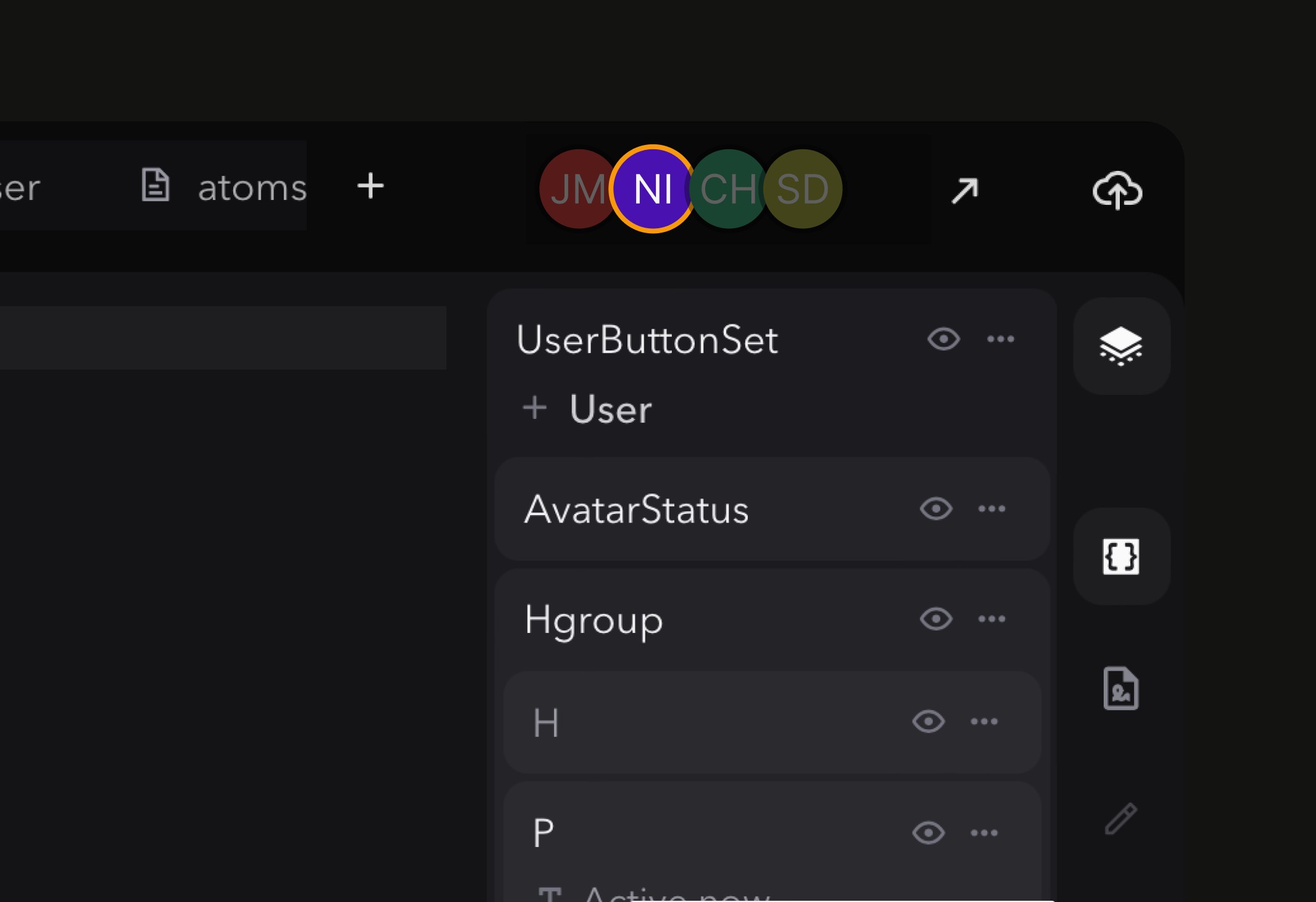
Work with other developers and design system stakeholders, including designers. See their changes in real-time.


Work with other developers and design system stakeholders, including designers. See their changes in real-time.


No-Code & Low-Code

Make it easier to build and scale with reduced lines of code, with our low-code framework and suite of no-code tools.

Make it easier to build and scale with reduced lines of code, with our low-code framework and suite of no-code tools.


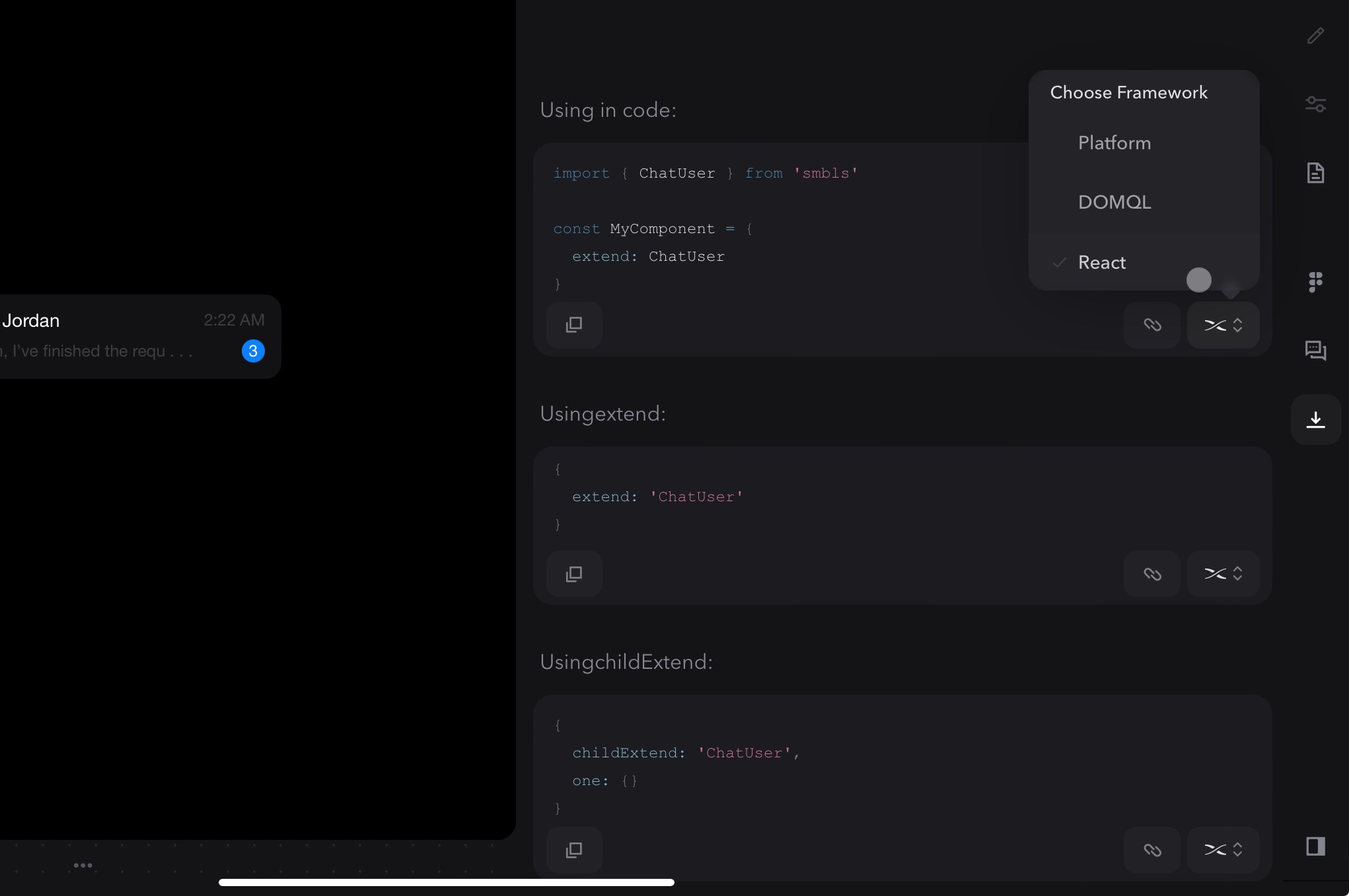
Compile To Other Frameworks

Reuse your entire UI kit and library in different frameworks such as React, by a simple click of a button.


(Coming soon)

Testing Tools

Test your entire project, from webpages down to individual components. Including responsive devices & sizes, breakpoints, accessibility and global themes.


Test your entire project, from webpages down to individual components. Including responsive devices & sizes, breakpoints, accessibility and global themes.


Documentation Tools

Access no-code tools to document your UI kit with anyone, including describing the use cases of your components. Use platform as documentation, as well as an auto created and maintained style guide.

Cloud Hosting

Host your entire project on our platform, and add or customise it’s domain.


Host your entire project on our platform, and add or customise it’s domain.


Host your entire project on our platform, and add or customise it’s domain.


Publish In One Click

Publish your website with one click deployment.


Publish your website with one click deployment.

Code Export

Don’t want to host it on our platform? No problem, export

any part of your project’s code.

COMPARISON

Don't waste
100+ hours

reinventing
the wheel for
every UI kit build.

It has never been easier, faster or cheaper.

It has never been easier, faster or cheaper.

Easily build 100%

reusable, editable

and scalable UI kits

Free access to 500+ components

Comes with most

advanced design

system

One place with

multiple tools to

build, test, document and publish project

Component

libraries

(e.g

Tailwind)

Real-time changes

and preview

Collaborate with

non-developers

No-code &

low-code tools

Easily build 100%

reusable, editable

and scalable UI kits

Free access to 500+ components

Comes with most

advanced design

system

One place with

multiple tools to

build, test, document and publish project

Component

libraries

(e.g

Tailwind)

Real-time changes

and preview

Collaborate with

non-developers

No-code &

low-code tools

FEATURES

FEATURES

Don't waste
100+ hours

reinventing
the wheel for
every UI kit build.

It has never been easier, faster or cheaper.

Problem

  • Customising component libraries (e.g Tailwind) is hard and time-consuming, as they are built for certain use cases & styling


  • Creating an advanced design system often takes months and sometimes even years


  • Learning, managing and paying for multiple tools is costly and leads to inefficient workflows


  • Collaborating with designers, including available properties, is often difficult

Solution

  • Easily build UI kits that are 100% reusable, customisable and scalable


  • Use the most advanced design system, that can be easily customised to your needs with minimal setup


  • One place with multiple tools to build, test, document and publish UI kits & web projects


  • Real-time collaboration and no-code tools enables developers & designers to easily work together

Design, Develop & Scale Visually. In Isolation.

Develop and maintain any type of UI without limitations, ranging from landing pages to comprehensive SaaS web applications with dynamic charts. Construct any segment of your web project in isolation, benefiting from real-time preview and instant changes, whether working on entire pages or individual components. Leverage our built-in code editor or integrate with VS Code through CLI for a seamless development experience.

Access 500+ Components

Think big, and use the Symbols library to build your web project in hours, instead of weeks. From marketing sites to e-commerce and more.

Real-Time Collaboration

Work with other developers and design system stakeholders, including designers. See their changes in real-time.

The Most Advanced Design System.
Get Set Go.

Configure your design system from scratch or with a design file (e.g Figma), including colour tokens, themes, icons, font, spacing and more. Speed ahead as the design system automatically does the heavy lifting, including spacing between component elements.


Reference design system token labels in your code to streamline the project’s design to development, resulting in reduced lines of code (e.g properties) for greater reusability and more.

Multi-Brandable UI kit

Easily reuse your entire component library for new and existing projects by rebranding it with just a few clicks, through reconfiguring the project’s design system

No-Code & Low-Code

Make it easier to build and scale with reduced lines of code, with our low-code framework and suite of no-code tools.

Organise & Review Your Library

Easily organise your components into categories and tags. Inspect your library for available components, and avoid rebuilding existing ones.

Compile To Other Frameworks

Reuse your entire UI kit and library in different frameworks such as React, by a simple click of a button.


(Coming soon)

Testing Tools

Test your entire project, from webpages down to individual components. Including responsive devices & sizes, breakpoints, accessibility and global themes.

Documentation Tools

Access no-code tools to document your UI kit with anyone, including describing the use cases of your components. Use platform as documentation, as well as an auto created and maintained style guide.

Cloud Hosting

Host your entire project on our platform, and add or customise it’s domain.

Publish In One Click

Publish your website with one click deployment.

Code Export

Don’t want to host it on our platform? No problem, export

any part of your project’s code.

COMPARISON

Don't waste
100+ hours

reinventing
the wheel for
every UI kit build.

It has never been easier, faster or cheaper.

It has never been easier, faster or cheaper.

Easily build 100%

reusable, editable

and scalable UI kits

Free access to 500+ components

Comes with most

advanced design

system

One place with

multiple tools to

build, test, document and publish project

Component

libraries

(e.g

Tailwind)

Real-time changes

and preview

Collaborate with

non-developers

No-code &

low-code tools

FEATURES

Design, Develop & Scale Visually. In Isolation.

Develop and maintain any type of UI without limitations, ranging from landing pages to comprehensive SaaS web applications with dynamic charts. Construct any segment of your web project in isolation, benefiting from real-time preview and instant changes, whether working on entire pages or individual components. Leverage our built-in code editor or integrate with VS Code through CLI for a seamless development experience.

Access 500+ Components

Think big, and use the Symbols library to build your web project in hours, instead of weeks. From marketing sites to e-commerce and more.

Real-Time Collaboration

Work with other developers and design system stakeholders, including designers. See their changes in real-time.

The Most Advanced Design System. Get Set Go.

Configure your design system from scratch or with a design file (e.g Figma), including colour tokens, themes, icons, font, spacing and more. Speed ahead as the design system automatically does the heavy lifting, including spacing between component elements.


Reference design system token labels in your code to streamline the project’s design to development, resulting in reduced lines of code (e.g properties) for greater reusability and more.

Multi-Brandable UI kit

Easily reuse your entire component library for new and existing projects by rebranding it with just a few clicks, through reconfiguring the project’s design system

No-Code & Low-Code

Make it easier to build and scale with reduced lines of code, with our low-code framework and suite of no-code tools.

Organise & Review Your Library

Easily organise your components into categories and tags. Inspect your library for available components, and avoid rebuilding existing ones.

Compile To Other Frameworks

Reuse your entire UI kit and library in different frameworks such as React, by a simple click of a button.


(Coming soon)

Testing Tools

Test your entire project, from webpages down to individual components. Including responsive devices & sizes, breakpoints, accessibility and global themes.

Documentation Tools

Access no-code tools to document your UI kit with anyone, including describing the use cases of your components. Use platform as documentation, as well as an auto created and maintained style guide.

Cloud Hosting

Host your entire project on our platform, and add or customise it’s domain.

Publish In One Click

Publish your website with one click deployment.

Code Export

Don’t want to host it on our platform? No problem, export

any part of your project’s code.

How does it work…

WORKFLOW

How does it work?
How to get started?

From outlining your design system to publishing to production.

From outlining your design system to publishing to production.

From outlining your design system to publishing to production.

From outlining your design system to publishing to production.

WORKFLOW

What would be my workflow?

How does it work…

From outlining your design system

to publishing to production.

STEP 1

Outline your entire design system. Fetch and automate changes.

Configure your design system from scratch or from a design file (e.g Figma), including colour tokens, themes, icons, fonts and more. Reference these tokens in your code to streamline the project’s design to development, with reduced lines of code.

No-code tools and menus make it easy to configure and maintain your design system

Switch between editor, docs and code view

Real-time changes made to both the dev version of your web project and UI kit

Auto generated and configurable type scale for both typography & spacing

Reference your design system tokens and reduce lines of code

STEP 2

Review available components. Avoid rebuilding existing components.

Review available components.
Avoid rebuilding existing components.

Organise and filter components by tags and categories

Preview and interact with components before adding them to project

Easily discover components by search (coming soon)

Favourite your most popular components

Zoom in and out of library to see more or less components in the same space

STEP 3

Access 500+ components. Or build your own 100% reusable & scalable UI kit.

Access 500+ components. Or build your own 100% reusable & scalable
UI kit.

Build anything from landing pages to saas applications

Access 500+ 100% customisable Symbols components

Use built in code editor or CLI with VS Code

Real-time preview as you make changes

Collaborate with other developers and designers

STEP 4

Rebrand your entire UI kit instantly. Achieve branding consistency.

Multi-branding functionality out of the box

Automate branding changes including colours, themes, spacing and more

Preview in different global themes including light & dark modes

Switch between projects to see design system changes

Explore how future design changes will impact your UI kit

STEP 5

Store & review files and functions. Reuse whenever you need.

Name your files and functions to reference as reduced lines of code

Inspect and preview code & files

STEP 6

Test your UI kit.
Achieve reassurance.

Test your UI kit. Achieve reassurance.

Testing made easy. Test to success.

Test your entire project, from pages down to the individual components. Confirm all is functioning and looks as intended.

Responsive device & sizes, with individual or all device comparisons and freeform

Breakpoints

Global themes including light & dark mode

Left to right accessibility

STEP 7

Document your UI kit. Unify your design system.

Document your UI kit. Unify your
design system.

Access no-code tools to document with anyone, including describing the use cases of certain components

Access no-code tools to document with anyone, including describing the use cases of your components

Use the platform as design system documentation

Avoid the hassle of creating and maintaining your style guide, as the platform will handle this for you as you make changes to your project.​

FINAL STEP

Publish web project.
Or export to your existing tech stack.

Publish website.
Or export to your existing tech stack.

Publish website.
Or export to your existing tech stack.

Changes made instantly to dev version

Easily inspect code changes before publishing

Easily inspect code changes before publishing

Revert to previous changes with version history (coming soon)

Supercharge your tech stack. Retain full control.

Empower your existing tech stack with flexible and powerful ways of integrating it with Symbols.
Export any part of your project with open-source tech

Export any part of your project with open

source tech

Export any part of your project with open-source

Use Symbols to bridge development with existing tools

Use Symbols to bridge development with

existing tools

Compile your UIKit into other frameworks such as React, HTML and more (coming soon)

Compile your UIKit into other frameworks

such as React, HTML and more

(coming soon)

  • VS Code

    Sync and develop your project with VS Code via CLI.

  • Figma

    Sync your design tokens to your project’s design system. (planned)

  • Github

    Export your UI kit and project data to Github.

LIFETIME DEALS

Pay once. Use forever

Pay once.
Use forever

Pay once.
Use forever

Get lifetime access for unlimited projects or editor users.

Get lifetime access for

unlimited projects or editor users.

Get lifetime access for unlimited projects or editor users.

Get lifetime access for unlimited projects or editor users.

Get lifetime access for unlimited projects or editor users.

Get lifetime access for

unlimited projects or editor users.

$100 for first 100 users. $49 pm after


$100 for first 100 users.

$49 pm after

$100 for first 100 users.

$49 pm after

14 day money back guarantee


14 day money back guarantee


Forever Free

For hobbies and side projects

$0

1 editor

Unlimited projects

1 workspace

Unlimited view users

Open-source

Design System

500+ Symbols components

(and growing)

Brandbook and preview

Real Time collaboration

99.99% uptime

Developers documentation

CLI tool

Help center

Community chat


Startup

Perfect for startups that want unlimited editor users

$100


/ $49 pm

Including Forever Free plan

1 project

Unlimited editor users

Premium components

Pages

Functions

CMS (coming soon)

Secrets

NPM & js Deliver packages (soon)

Version history (soon)

Development and production environment

Syncing to local project

Two-way syncing to local project (soon)

Custom domain (soon)

.symbo.ls subdomain (soon)

Export in HTML, React, jQuery (soon)

Figma integration (planned)

Cloudflare hosting

Custom integrations (soon)

5gb file storage per project

100k monthly website visitors

60 minutes call with our team

Priority support

Agency

Perfect for agencies that want unlimited projects

$100


/ $49 pm

Including Forever Free plan

Unlimited projects

1 editor user

Premium components

Pages

Functions

CMS (coming soon)

Secrets

NPM & js Deliver packages (soon)

Version history (soon)

Development and production environment

Syncing to local project

Two-way syncing to local project (soon)

Custom domain (soon)

.symbo.ls subdomain (soon)

Export in HTML, React, jQuery (soon)

Figma integration (planned)

Cloudflare hosting

Custom integrations (soon)

5gb file storage per project

100k monthly website visitors

60 minutes call with our team

Priority support

What's the difference between startup vs agency plans?

Can I buy both startup and agency plans together?

How can I add more projects to the startup plan?

How can I add more editor users to the agency plan?

What's the difference between startup vs agency plans?

Can I buy both startup and agency plans together?

How can I add more projects to the startup plan?

How can I add more editor users to the agency plan?

What's the difference between startup vs agency plans?

Can I buy both startup and agency plans together?

How can I add more projects to the startup plan?

How can I add more editor users to the agency plan?

What's the difference between startup vs agency plans?

Can I buy both startup and agency plans together?

How can I add more projects to the startup plan?

How can I add more editor users to the agency plan?

Still have questions? Please contact us at hello@symbols.app

Still have questions?

Please contact us at hello@symbols.app.

Still have questions?

Please contact us at hello@symbols.app.

FAQ

Frequently asked questions

What is Symbols?

What problem does Symbols solve?

What can I build with Symbols?

How does my day-to-day workflow look like with Symbols?

How can I access Symbols?

How can I get help or learn more about using Symbols?

Which framework/tech does Symbols support?

Is Symbols open source / can I export my code?

Does VS Code work with Symbols?

Does Symbols support Github?

Does Symbols support Github?

Does Symbols modify the project’s source code? What is the relationship between Symbols and my codebase?

How does a team collaborate using Symbols?

Do I need any prior knowledge before starting to use Symbols?

What is Symbols?

What problem does Symbols solve?

What can I build with Symbols?

How does my day-to-day workflow look like with Symbols?

How can I access Symbols?

How can I get help or learn more about using Symbols?

Which framework/tech does Symbols support?

Is Symbols open source / can I export my code?

Does VS Code work with Symbols?

Does Symbols support Github?

Does Symbols support Github?

Does Symbols modify the project’s source code? What is the relationship between Symbols and my codebase?

How does a team collaborate using Symbols?

Do I need any prior knowledge before starting to use Symbols?

What is Symbols?

What problem does Symbols solve?

What can I build with Symbols?

How does my day-to-day workflow look like with Symbols?

How can I access Symbols?

How can I get help or learn more about using Symbols?

Which framework/tech does Symbols support?

Is Symbols open source / can I export my code?

Does VS Code work with Symbols?

Does Symbols support Github?

Does Symbols support Github?

Does Symbols modify the project’s source code? What is the relationship between Symbols and my codebase?

How does a team collaborate using Symbols?

Do I need any prior knowledge before starting to use Symbols?

What is Symbols?

What problem does Symbols solve?

What can I build with Symbols?

How does my day-to-day workflow look like with Symbols?

How can I access Symbols?

How can I get help or learn more about using Symbols?

Which framework/tech does Symbols support?

Is Symbols open source / can I export my code?

Does VS Code work with Symbols?

Does Symbols support Github?

Does Symbols support Github?

Does Symbols modify the project’s source code? What is the relationship between Symbols and my codebase?

How does a team collaborate using Symbols?

Do I need any prior knowledge before starting to use Symbols?

Experience building UI kits like never before with Symbols.

Contact Us

hello@symbols.app

651 N Broad St, Delaware, USA

© 2024 Symbols.app All rights reserved.

Privacy Policy

Cookies Policy

Terms & Conditions

Experience building UI kits like never before with Symbols.

Contact Us

hello@symbols.app

651 N Broad St, Delaware, USA

© 2024 Symbols.app All rights reserved.

Privacy Policy

Cookies Policy

Terms & Conditions

Experience building UI kits like never before with Symbols.

Contact Us

hello@symbols.app

651 N Broad St, Delaware, USA

© 2024 Symbols.app All rights reserved.

Privacy Policy

Cookies Policy

Terms & Conditions

Experience building UI kits like never before with Symbols.

Contact Us

hello@symbols.app

651 N Broad St, Delaware, USA

© 2024 Symbols.app All rights reserved.

Privacy Policy

Cookies Policy

Terms & Conditions

Experience building UI kits like never before with Symbols.

Contact Us

hello@symbols.app

651 N Broad St, Delaware, USA

© 2024 Symbols.app All rights reserved.

Privacy Policy

Cookies Policy

Terms & Conditions